You can use any script editor of your choice to create Lua scripts for Pragma. The information on the page is the recommended approach, but it is not required.
Pragma supports Lua development and debugging with [Visual Studio Code](https://code.visualstudio.com/). This includes code auto-completion and suggestions: [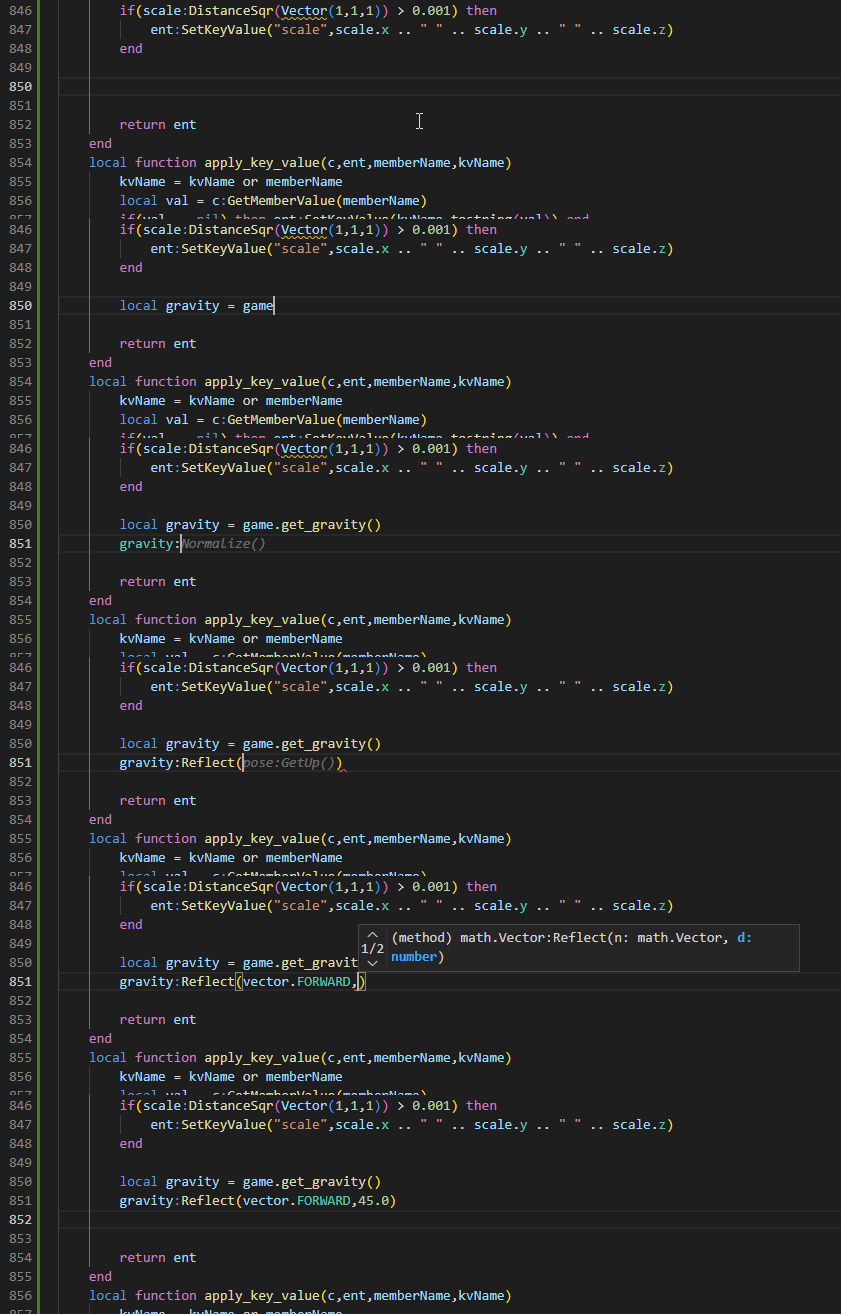](https://wiki.pragma-engine.com/uploads/images/gallery/2023-03/code-2023-03-19-11-08-28.gif) as well as debugging using breakpoints, step-by-step code execution and immediate code execution: ### Setup To enable it, install these extensions: - [Lua](https://marketplace.visualstudio.com/items?itemName=sumneko.lua) by sumneko: [](https://marketplace.visualstudio.com/items?itemName=sumneko.lua) - [Lua Debug](https://marketplace.visualstudio.com/items?itemName=actboy168.lua-debug) by actboy168: [](https://marketplace.visualstudio.com/items?itemName=actboy168.lua-debug) - [extensionPath](https://marketplace.visualstudio.com/items?itemName=actboy168.extension-path) by actboy168: [](https://marketplace.visualstudio.com/items?itemName=actboy168.extension-path) - Optional: [GitHub Copilot](https://github.com/features/copilot) ##### StyLua For automated code-formatting, install the following extension: - [StyLua](https://marketplace.visualstudio.com/items?itemName=JohnnyMorganz.stylua) by JohnnyMorganz: [](https://marketplace.visualstudio.com/items?itemName=JohnnyMorganz.stylua) After installing StyLua, press Ctrl +LShift +P, and run the command "Preferences: Open User Settings (JSON)". In the JSON file, add the following line below `editor.defaultFormatter`: ```json "editor.formatOnSave": true ``` Once all of these extensions are installed, open the root directory of Pragma in Visual Studio Code. ### Debugging To be able to use the Lua debugger, you have to start the debugger server in Pragma first.LuaJIT will be disabled when debugging, which means script execution will be slower.
1. Add `-console -luaext` to the launch options of Pragma. This will enable additional Lua libraries required by the debugger, as well as the developer console, which will print Lua errors and can be used to execute Lua code directly. 2. Open the main Pragma directory in Visual Studio Code (`File > Open Folder...`). 3. Run the console command `debug_start_lua_debugger_server_cl` in Pragma to launch the debugger server. 4. Press F5 in Visual Studio Code to start debugging. You can now use the debugging tools in Visual Studio Code. #### Breakpoints ##### Conditions #### Immediate Code Execution