January 2025 Progress Report
Reminder: You can access your Supporter rewards on the supporter page.
Shader System Improvements
Shader Graphs
PFM now has a shader graph system, similar to the one in Blender. It's still work-in-progress and not available in any release yet, but the majority of the work is complete.
In a nutshell, the system allows you to create custom shaders using a graph UI editor, to create all sorts of different rendering effects relatively easily and apply them to actors:
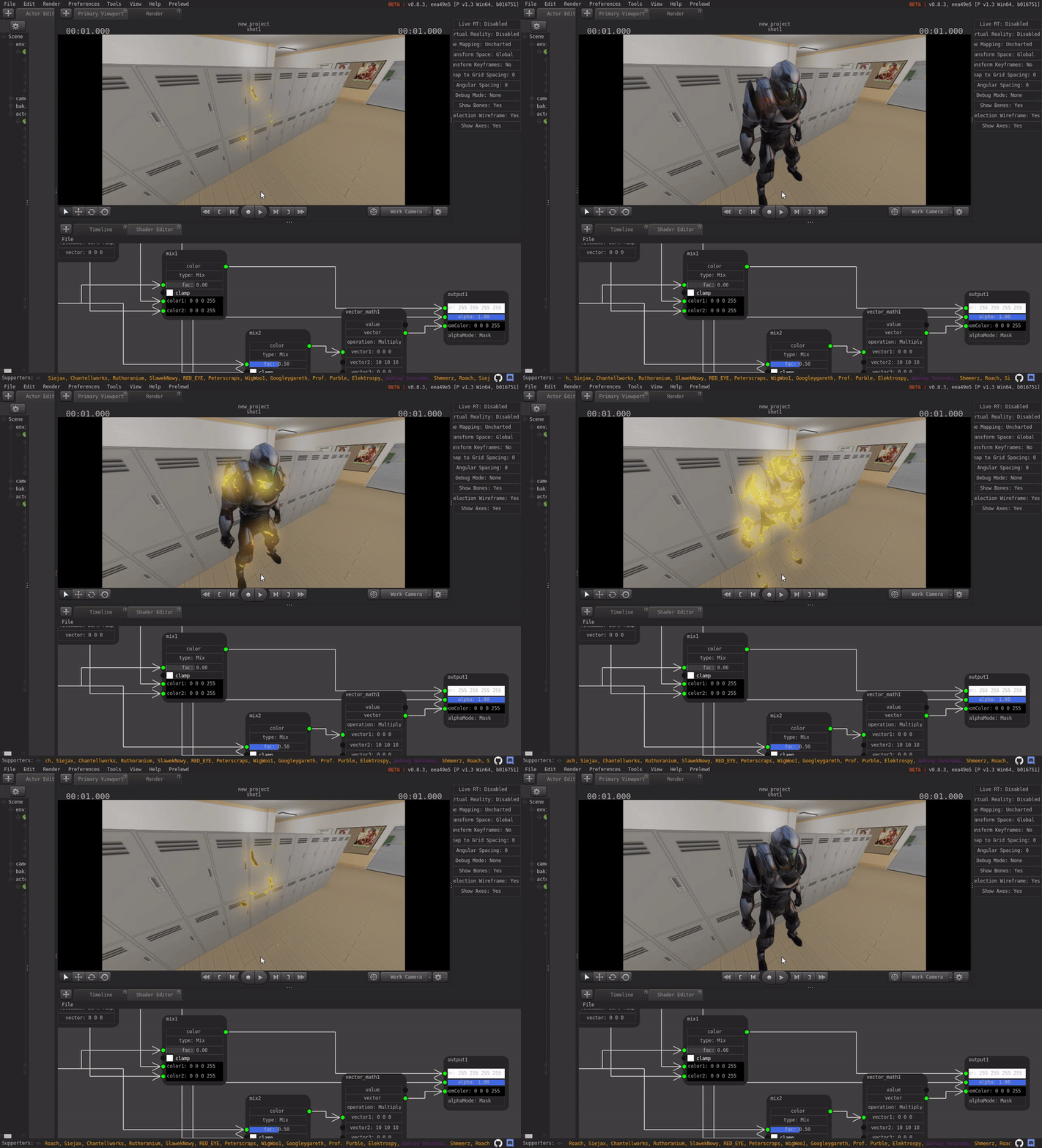
Some of the key features include:
- Hot-reloading: You can see any changes to the shader graph immediately.
- You can add input variables to a shader graph, which can be controlled and animated through PFM.
- It comes with dozens of pre-made nodes, such as: bright_contrast, clamp, combine_hsv, combine_xyz, gamma, hsv, invert, map_range, math, mix, rgb_to_bw, separate_hsv, separate_xyz, value, vector_math, camera, object, time, image_texture, geometry, sepia, pbr, material_texture, etc.
- Several pre-made shaders, such as: Pbr, Toon, Black-And-White, Sepia, Burn Effect
Right now the custom shader graphs only work with the Pragma renderer, but I've made sure to consider compatibility with Cycles when implementing the nodes (if you used shaders in Blender, the node types might sound familiar), so I should be able to add support for the Cycles renderer as well in the future.
Some of the things I still have planned are:
- Support for group nodes, to allow you to re-use node structures in different graphs (work-in-progress).
- Support for custom post-processing shader graphs.
- Support for per-material and per-object shader inputs.
Toon shader
Part of the new shader updates is also a new toon-shader:

(Model by WigWoo!)
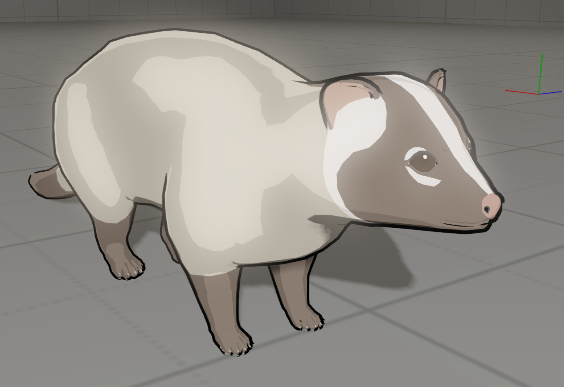
(Model by 鍋蓋)
Not all that much to say about it, it's using standard cel shading with outlines. You can use 2-band or 4-band shading, or supply a custom texture for different effects. The shader also has support for matcap textures for different types of lighting, but I don't have a preview of that ready yet.
Asset System
Drag-and-Drop Improvements
I've significantly improved the drag-and-drop import for PFM. You can now simply drag entire folders or zip-archives into the PFM interface, and it will automatically import all of the assets, addons, etc. contained within:
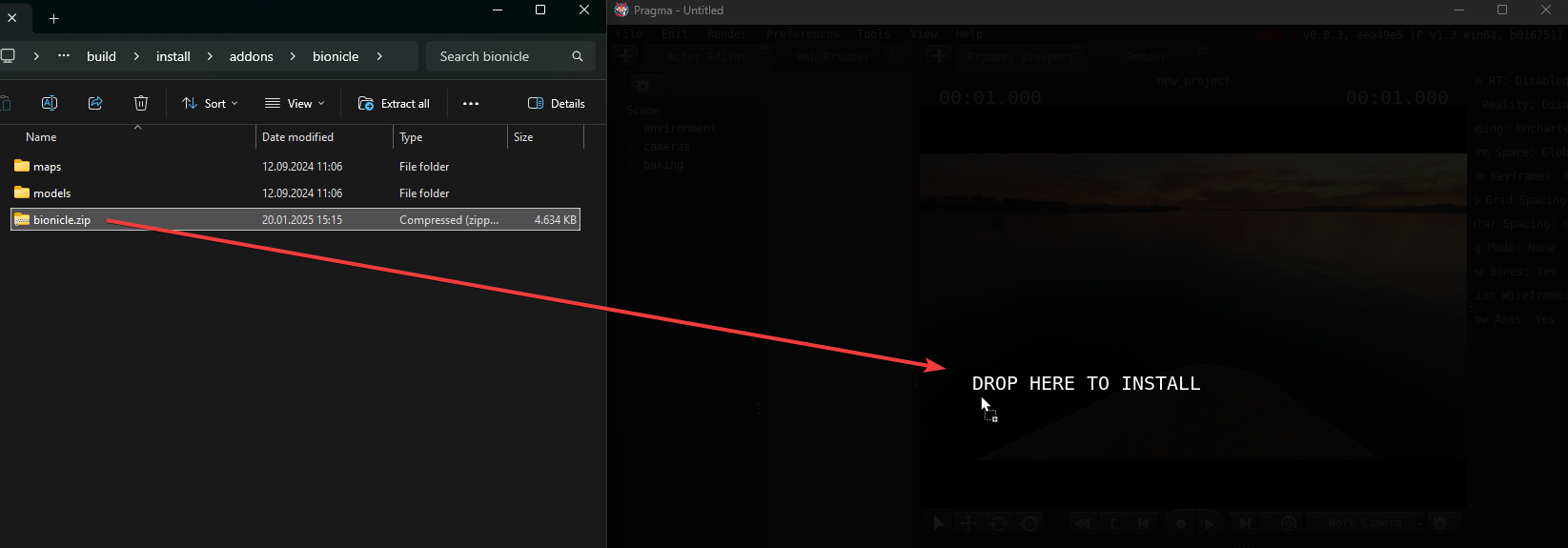
Since it can auto-detect import assets as well, you should be able to drag-and-drop most zip-archives intended for SFM, and it should be able to handle it.
FBX Support
Due to popular demand, I have also added full FBX support, including animations, morph targets, etc. Just like for the other formats, you can import FBX files using the drag-and-drop feature, or by copying them to the "models" directory. Downloading FBX assets through the web browser will also automatically import them.
glTF is still the recommended format for asset import/export, however.
Source Engine Model Export
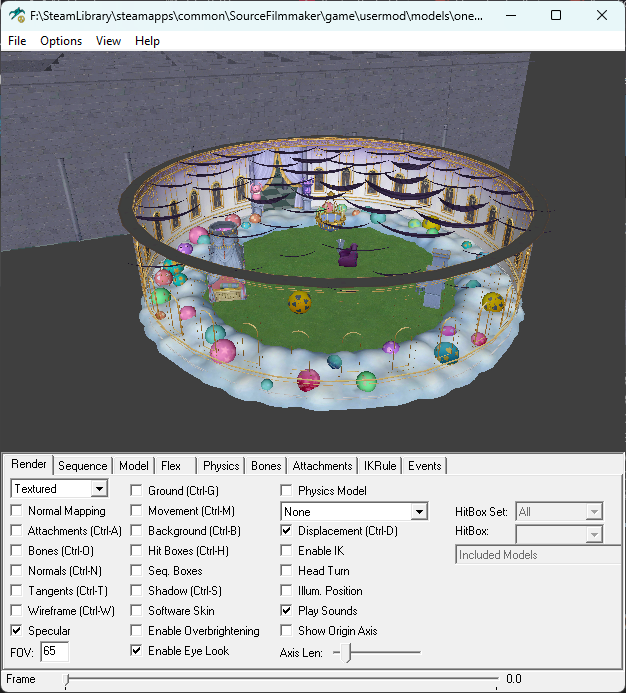
You can now export models in the Source Engine model format by right-clicking them in the model explorer and choosing "Mdl":
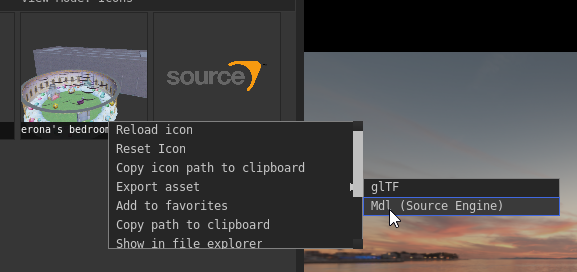
It's only meant as a quick method for exporting props, so you can't use it to export entire character models at the moment:
Misc
- OpenGL Fallback Support (Special thanks to SlawekNowy)
- Pragma can now be launched with
-graphics_api openglto use OpenGL rendering. This allows Pragma to be used with older GPUs, as well as intel GPUs.
- Pragma can now be launched with
- General load time and runtime speed improvements
- RAM usage decrease
- VR Controllers can now be used to interact with the PFM interface
- Pragma Map Compiler for Hammer Map Editor
pragma/bin/prad.execan now be used in place ofvrad.exein the hammer map editor to compile a map directly for Pragma.
- Improve MikuMikuDance asset support
- Mixed-font rendering: Non-latin alphabet characters are now displayed properly