
Binary Modules
Binary modules allow you to change or extend the behavior of Pragma without having to change the core source code. Binary modules are written in C++ and loaded during runtime using Lua (with some special exceptions). Some example modules are:
- pr_chromium: Adds an integrated Chromium-based Web Browser to Pragma
Installing Modules
Loading Modules
Binary modules are generally installed to "Pragma/modules/" and can be
local moduleName = "pr_chromium"
local result = engine.load_library(moduleName)
if(result ~= true) then
    console.print_warning("Failed to load \"" .. moduleName .. "\" module: " .. r)
    return
end
moduleName: No "modules/" no lib prefix no extension
Custom Modules
Go to the Pragma module template repository on GitHub and create a new repository from it:
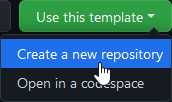
You can choose whatever name you want for the repository, but for consistency it is recommended that it should have the same name as the module, which means:
- It should start with the "pr_" prefix
Some examples are: "pr_chromium", "pr_bullet", "pr_audio_fmod", etc.
Click "Create repository from template" to generate the repository. The generated repository now contains a bunch of template files, which still need to be initialized. To do so, open the file "template_pragma_module.json" on GitHub and edit the values:
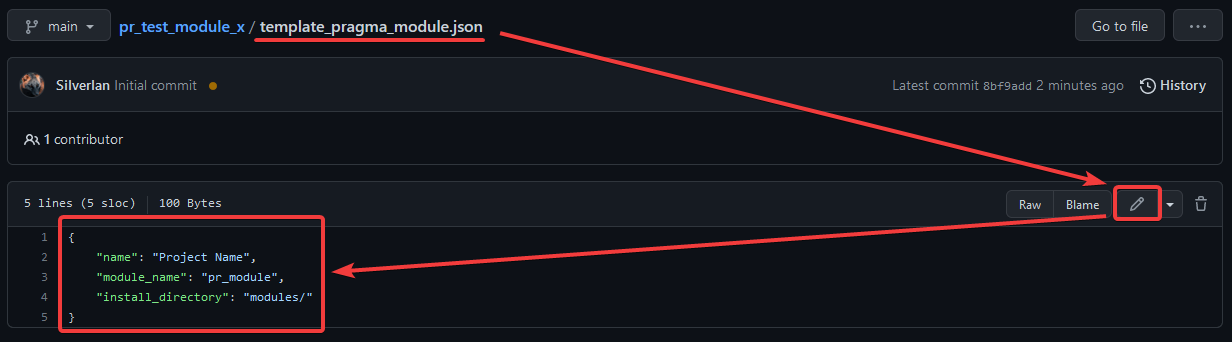
- "name": A pretty name, which will appear in the generated readme.
pr_ and always be lowercase.
"install_directory": The directory where the module should be installed to, relative to the Pragma installation. This should be somewhere in modules/.
Now commit your changes. This will trigger a workflow which will initialize the repository with the values, which should take about two minutes. Simply refresh the page a few times, once you can see the following icons at the top of the readme, that means the initialization was completed:
